How to make VS Code go back to the old UI
Published on , 190 words, 1 minutes to read
What do you wanna bet someone's gonna get promoted for deleting this workaround from the code?
Someone on the VS Code team decided to do a redesign of the product. This makes VS Code look like this:
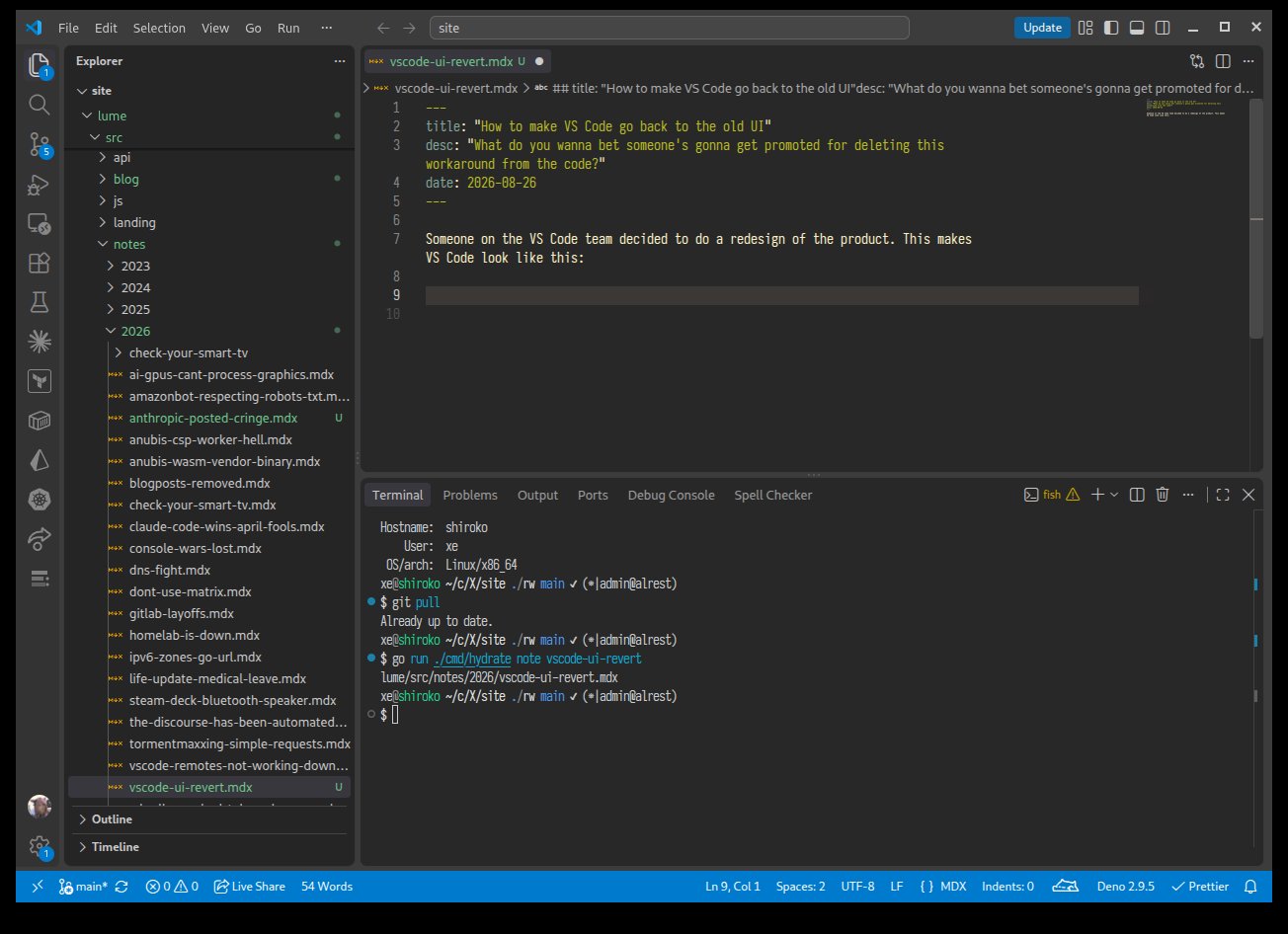
This design is fine, I guess? It's got some rounded corners that look nice, I guess, but I really just want it to look like what I'm used to. I can tolerate this kind of redesign in my chat app, but I use VS Code professionally and kinda want things to look the same so I don't have to think as much.
You can revert the design change by setting "workbench.experimental.modernUI": false in your settings.json. Then it looks like this:
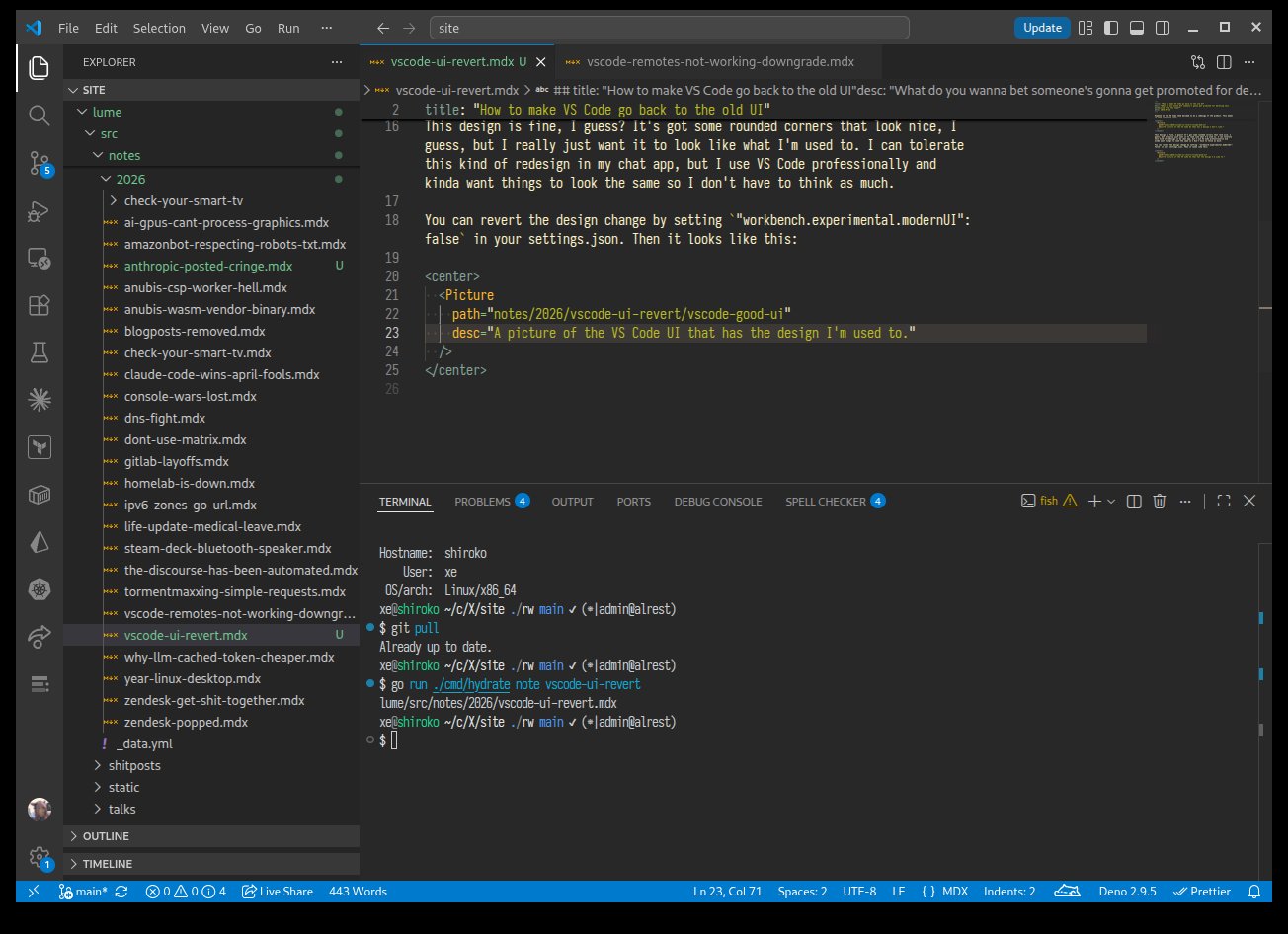
Who knows how long this is going to last, but at the very least it should work for now.
Thanks to jtagcat and Hugo ARNAL for letting me know about this setting.
Facts and circumstances may have changed since publication. Please contact me before jumping to conclusions if something seems wrong or unclear.
Tags: